Building Your First Expert Advisor: Step-by-Step Guide

Building your first Expert Advisor transforms you from passive consumer of commercial trading robots to active developer of custom automated strategies. While the learning curve feels steep initially, creating a simple but functional EA requires less technical knowledge than you might expect.

This guide walks you through building a complete, working Expert Advisor from initial planning through testing and deployment. We’ll create a straightforward RSI-based strategy that demonstrates essential EA development concepts without overwhelming complexity that often discourages beginners.

You’ll learn how to plan your EA strategy, structure the code properly, implement entry and exit logic, add risk management, test thoroughly, and deploy your EA on live accounts with confidence that it operates as intended.

This is part of our Automated Forex Trading & Expert Advisors: Complete Guide, covering MQL4/MQL5 programming, EA development, backtesting, and optimization strategies.

Before You Start building your first Expert Advisor: Essential Prerequisites

Successful EA development requires specific preparation before writing any code.

Basic Programming Knowledge

You need fundamental programming concepts: variables, if-else statements, loops, and functions. Complete beginners should learn MQL4 or MQL5 basics before attempting EA development.

For MQL4 fundamentals, see our MQL4 programming guide. For MQL5, see our MQL5 programming guide.

Platform Familiarity

Master MT4 or MT5 through manual trading before automating. Understand how to place trades, set stop losses, manage positions, and navigate the platform. When your EA malfunctions, you need manual trading competency to intervene.

For platform basics, see our MT4 tutorial or MT5 tutorial.

Trading Strategy Understanding

Automation doesn’t compensate for lack of trading knowledge. Understand the strategy you’re automating, why it should work theoretically, and what market conditions favor it.

Development Environment Setup

Install MetaTrader 4 or 5 with MetaEditor. Familiarize yourself with the code editor, compiler, and basic IDE features.

Step 1: Plan Your Strategy

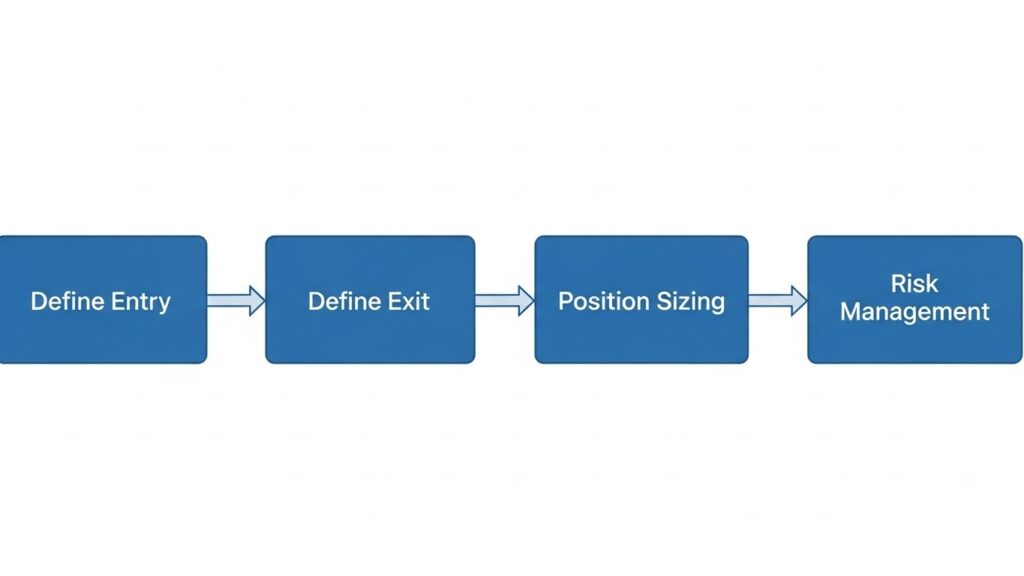
Expert Advisor strategy planning flowchart showing development steps from entry to risk management

Successful EAs start with clear strategy planning before any coding occurs.

Define Entry Conditions

Specify exactly when the EA should enter trades. Vague ideas like “buy when price is low” don’t translate to code. You need precise conditions: “Buy when RSI crosses above 30 and closes above the 20-period moving average.”

For our example EA, we’ll use simple RSI conditions:

  • Buy Signal: RSI crosses above 30 (from oversold)
  • Sell Signal: RSI crosses below 70 (from overbought)

Define Exit Conditions

How does the EA close positions? Fixed stop loss and take profit? Trailing stops? Indicator-based exits?

Our example will use:

  • Fixed stop loss: 50 pips
  • Fixed take profit: 100 pips
  • No trailing stops initially (keep it simple)

Define Position Sizing

How much to risk per trade? Fixed lot size, percentage of account balance, or dynamic calculation based on stop loss distance?

Our example uses fixed lot size (0.1 lots) for simplicity.

Define Risk Management Rules

Maximum number of simultaneous positions, maximum daily loss limits, trading time restrictions?

Our example:

  • Maximum 1 position at a time
  • No time restrictions initially
  • Trade only when no existing positions

Write It Down

Document your complete strategy in plain English before coding. This becomes your reference and helps identify logic gaps.

Example documentation:

Strategy: RSI Mean Reversion
Entry Long: RSI(14) crosses above 30
Entry Short: RSI(14) crosses below 70
Exit: Fixed SL 50 pips, TP 100 pips
Position Size: 0.1 lots
Max Positions: 1
Currency Pair: Any (tested on EURUSD)
Timeframe: H1

Step 2: Create the Basic EA Structure

Start with a clean template providing the framework you’ll build upon.

Create New EA File

In MetaEditor:

  1. File → New → Expert Advisor (MQL4) or Expert Advisor (MQL5)
  2. Name it “RSI_MeanReversion_EA”
  3. Save in the Experts folder

Basic MQL4 Structure

#property copyright "Your Name"
#property version   "1.00"
#property strict

// Input parameters
input int RSI_Period = 14;
input int RSI_Oversold = 30;
input int RSI_Overbought = 70;
input double LotSize = 0.1;
input int StopLoss = 50;
input int TakeProfit = 100;
input int MagicNumber = 12345;

// Global variables

int OnInit()
{
   Print("EA initialized successfully");
   return(INIT_SUCCEEDED);
}

void OnDeinit(const int reason)
{
   Print("EA removed from chart");
}

void OnTick()
{
   // Main trading logic goes here
}

Basic MQL5 Structure

#property copyright "Your Name"
#property version   "1.00"

#include <Trade\Trade.mqh>

// Input parameters
input int RSI_Period = 14;
input int RSI_Oversold = 30;
input int RSI_Overbought = 70;
input double LotSize = 0.1;
input int StopLoss = 50;
input int TakeProfit = 100;
input int MagicNumber = 12345;

// Global variables
int rsiHandle;
CTrade trade;

int OnInit()
{
   rsiHandle = iRSI(_Symbol, _Period, RSI_Period, PRICE_CLOSE);
   if(rsiHandle == INVALID_HANDLE)
   {
      Print("Error creating RSI indicator");
      return(INIT_FAILED);
   }
   
   trade.SetExpertMagicNumber(MagicNumber);
   Print("EA initialized successfully");
   return(INIT_SUCCEEDED);
}

void OnDeinit(const int reason)
{
   IndicatorRelease(rsiHandle);
   Print("EA removed from chart");
}

void OnTick()
{
   // Main trading logic goes here
}

Compile to Check for Errors

Click Compile (F7). Fix any syntax errors before proceeding.

Step 3: Implement Entry Logic

Add code that identifies trading opportunities and opens positions.

Calculate RSI Values (MQL4)

void OnTick()
{
   // Calculate current and previous RSI
   double rsiCurrent = iRSI(NULL, 0, RSI_Period, PRICE_CLOSE, 0);
   double rsiPrevious = iRSI(NULL, 0, RSI_Period, PRICE_CLOSE, 1);
   
   // Check if we already have open positions
   if(OrdersTotal() == 0)
   {
      CheckForBuySignal(rsiCurrent, rsiPrevious);
      CheckForSellSignal(rsiCurrent, rsiPrevious);
   }
}

void CheckForBuySignal(double rsiCurrent, double rsiPrevious)
{
   // Buy when RSI crosses above oversold level
   if(rsiPrevious < RSI_Oversold && rsiCurrent >= RSI_Oversold)
   {
      OpenBuyOrder();
   }
}

void CheckForSellSignal(double rsiCurrent, double rsiPrevious)
{
   // Sell when RSI crosses below overbought level
   if(rsiPrevious > RSI_Overbought && rsiCurrent <= RSI_Overbought)
   {
      OpenSellOrder();
   }
}

Calculate RSI Values (MQL5)

void OnTick()
{
   // Array for RSI values
   double rsi[];
   ArraySetAsSeries(rsi, true);
   
   // Copy RSI values
   if(CopyBuffer(rsiHandle, 0, 0, 2, rsi) <= 0)
      return;
   
   double rsiCurrent = rsi[0];
   double rsiPrevious = rsi[1];
   
   // Check if we already have open positions
   if(PositionsTotal() == 0)
   {
      CheckForBuySignal(rsiCurrent, rsiPrevious);
      CheckForSellSignal(rsiCurrent, rsiPrevious);
   }
}

void CheckForBuySignal(double rsiCurrent, double rsiPrevious)
{
   if(rsiPrevious < RSI_Oversold && rsiCurrent >= RSI_Oversold)
   {
      OpenBuyOrder();
   }
}

void CheckForSellSignal(double rsiCurrent, double rsiPrevious)
{
   if(rsiPrevious > RSI_Overbought && rsiCurrent <= RSI_Overbought)
   {
      OpenSellOrder();
   }
}

Step 4: Implement Order Execution

Add functions that actually open trading positions with proper stop loss and take profit.

MQL4 Order Functions

void OpenBuyOrder()
{
   double sl = Ask - StopLoss * Point * 10;
   double tp = Ask + TakeProfit * Point * 10;
   
   int ticket = OrderSend(Symbol(), OP_BUY, LotSize, Ask, 3, sl, tp, "RSI Buy", MagicNumber, 0, Blue);
   
   if(ticket > 0)
   {
      Print("Buy order opened successfully. Ticket: ", ticket);
   }
   else
   {
      Print("Error opening buy order: ", GetLastError());
   }
}

void OpenSellOrder()
{
   double sl = Bid + StopLoss * Point * 10;
   double tp = Bid - TakeProfit * Point * 10;
   
   int ticket = OrderSend(Symbol(), OP_SELL, LotSize, Bid, 3, sl, tp, "RSI Sell", MagicNumber, 0, Red);
   
   if(ticket > 0)
   {
      Print("Sell order opened successfully. Ticket: ", ticket);
   }
   else
   {
      Print("Error opening sell order: ", GetLastError());
   }
}

MQL5 Order Functions

void OpenBuyOrder()
{
   double ask = SymbolInfoDouble(_Symbol, SYMBOL_ASK);
   double sl = ask - StopLoss * _Point * 10;
   double tp = ask + TakeProfit * _Point * 10;
   
   bool result = trade.Buy(LotSize, _Symbol, ask, sl, tp, "RSI Buy");
   
   if(result)
   {
      Print("Buy order opened successfully");
   }
   else
   {
      Print("Error opening buy order: ", trade.ResultRetcode());
   }
}

void OpenSellOrder()
{
   double bid = SymbolInfoDouble(_Symbol, SYMBOL_BID);
   double sl = bid + StopLoss * _Point * 10;
   double tp = bid - TakeProfit * _Point * 10;
   
   bool result = trade.Sell(LotSize, _Symbol, bid, sl, tp, "RSI Sell");
   
   if(result)
   {
      Print("Sell order opened successfully");
   }
   else
   {
      Print("Error opening sell order: ", trade.ResultRetcode());
   }
}

Note About Point Values

Multiplying by 10 converts pips to points for 5-digit brokers. Adjust this based on your broker’s quote precision.

Step 5: Add Safety Checks

Implement checks preventing common errors that cause EA failures.

Check Market Hours

bool IsMarketOpen()
{
   datetime currentTime = TimeCurrent();
   int dayOfWeek = DayOfWeek();
   
   // Don't trade on weekends
   if(dayOfWeek == 0 || dayOfWeek == 6)
      return false;
      
   // Add other time restrictions as needed
   return true;
}

Validate Stop Loss and Take Profit

bool ValidateStopLoss(double price, double sl, bool isBuy)
{
   double minStopLevel = SymbolInfoInteger(_Symbol, SYMBOL_TRADE_STOPS_LEVEL) * _Point;
   
   if(isBuy)
   {
      if(price - sl < minStopLevel)
      {
         Print("Stop loss too close to current price");
         return false;
      }
   }
   else
   {
      if(sl - price < minStopLevel)
      {
         Print("Stop loss too close to current price");
         return false;
      }
   }
   
   return true;
}

Check Account Balance

bool CheckAccountBalance()
{
   double freeMargin = AccountFreeMargin();
   double requiredMargin = MarketInfo(Symbol(), MODE_MARGINREQUIRED) * LotSize;
   
   if(freeMargin < requiredMargin)
   {
      Print("Insufficient margin. Required: ", requiredMargin, " Available: ", freeMargin);
      return false;
   }
   
   return true;
}

Add Checks Before Trading

void OnTick()
{
   // Preliminary checks
   if(!IsMarketOpen()) return;
   if(!CheckAccountBalance()) return;
   
   // Rest of trading logic...
}

Step 6: Test on Strategy Tester

Never deploy untested EAs on live accounts. The Strategy Tester identifies problems before they cost real money.

Configure Strategy Tester

  1. Open Strategy Tester (View → Strategy Tester or Ctrl+R)
  2. Select your EA from Expert Advisor dropdown
  3. Choose symbol (EURUSD recommended for testing)
  4. Select timeframe (H1 for our example)
  5. Choose test period (at least 1 year)
  6. Set “Model” to “Every tick” for accuracy
  7. Click “Start”
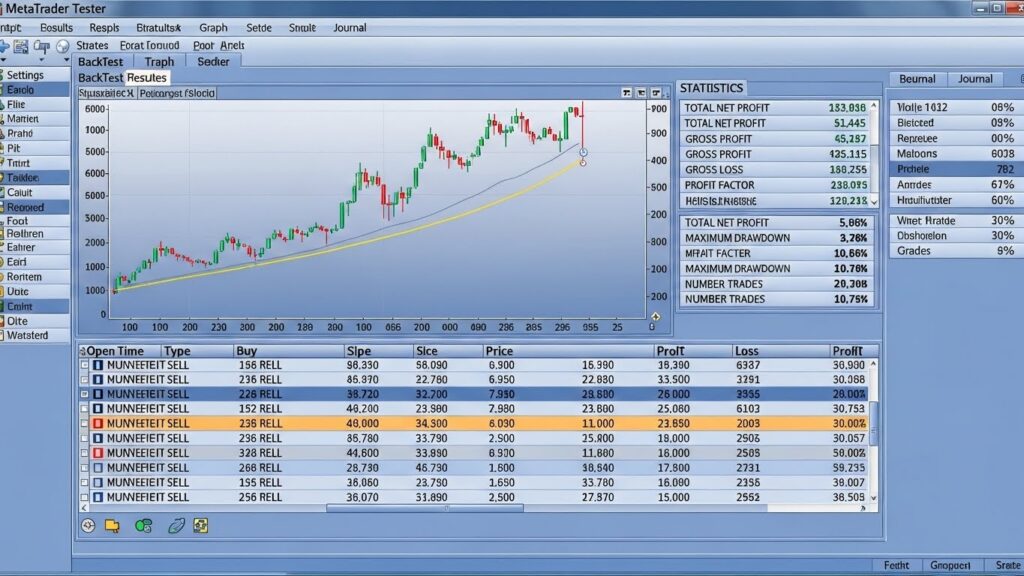
MetaTrader Strategy Tester showing Expert Advisor backtest results with equity curve and trade statistics

Analyze Results

Check for:

  • Total trades: Should have reasonable number (50+ for meaningful analysis)
  • Profit factor: Above 1.0 indicates profitable system
  • Maximum drawdown: Acceptable relative to gains?
  • Win rate: Realistic for your strategy type?
  • Graph: Does equity curve look reasonable?

Common Testing Issues

No Trades Executed:

  • Check if entry conditions are too restrictive
  • Verify indicator calculations are correct
  • Ensure OrdersTotal() check isn’t preventing trades

Unexpected Losses:

  • Review stop loss and take profit calculations
  • Check for logic errors in entry/exit conditions
  • Verify point/pip conversions for your broker

EA Crashes or Errors:

  • Review Experts log for error messages
  • Add Print statements to debug code flow
  • Check array bounds and null pointer issues

For comprehensive backtesting methodology, see our backtesting guide.

Step 7: Optimize Parameters

Once basic functionality works, optimize input parameters for better performance.

Use Strategy Tester Optimization

  1. In Strategy Tester, click “Settings” tab
  2. Check parameters you want to optimize
  3. Set start, step, and stop values for each
  4. Choose optimization criterion (Balance, Profit Factor, etc.)
  5. Click “Start”

Optimization Best Practices

Don’t over-optimize. Wide parameter ranges producing similar results indicate robust strategy. Narrow “sweet spots” suggest curve-fitting that won’t work in live trading.

Test optimized parameters on different time periods. If parameters optimized on 2020-2021 data fail on 2022-2023 data, they’re over-fitted.

Walk-Forward Analysis

Optimize on one period, test on next period, repeat. This simulates realistic deployment where you periodically re-optimize based on recent data.

For advanced optimization techniques, see our optimizing EA settings guide.

Step 8: Deploy on Demo Account

After successful backtesting, test on demo account with live market conditions.

Attach EA to Demo Chart

  1. Open demo account chart (EURUSD H1 for our example)
  2. Drag EA from Navigator onto chart
  3. Configure input parameters
  4. Enable AutoTrading (button in toolbar)
  5. Verify smiley face icon appears in chart corner
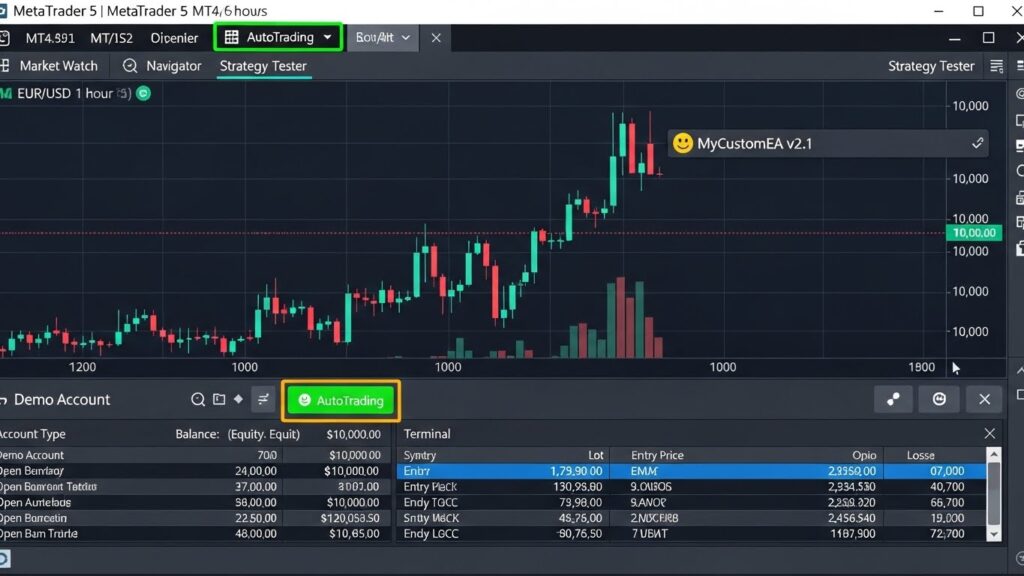
MetaTrader chart showing Expert Advisor successfully deployed on demo account with AutoTrading enabled

Monitor Demo Performance

Run demo for minimum one month, ideally two to three months. Check:

  • Do trades execute as expected?
  • Does performance match backtest results?
  • Are there unexpected behaviors during news events?
  • Does EA handle broker-specific conditions properly?

Common Demo Issues

EA Not Trading:

  • AutoTrading button enabled?
  • EA shows smiley face (not X)?
  • Check Experts log for errors
  • Verify entry conditions can be met

Different Results Than Backtest:

  • Spreads in demo might differ from backtest
  • Slippage affects real execution
  • News events cause unexpected behavior

Step 9: Small Live Account Testing

After successful demo testing, deploy on small live account with minimal risk.

Start Conservatively

Use smallest possible lot sizes (0.01 lots or micro lots). Risk capital you can afford to lose completely. The goal is verifying live performance matches demo, not making substantial profits yet.

Monitor Closely

Check EA several times daily initially. Compare live results to demo and backtest expectations. Note any discrepancies for investigation.

Key Differences: Demo vs Live

Live accounts face:

  • Real slippage during volatile periods
  • Wider spreads during news or low liquidity
  • Requotes or order rejections
  • Psychological impact (even with small amounts)

Some EAs profit in demo but lose in live due to execution quality differences.

Step 10: Scale Gradually

Only after confirming live performance should you increase position sizes or capital allocation.

Gradual Capital Increases

If testing with $500, don’t immediately jump to $10,000 after one profitable month. Scale incrementally: $500 → $1,000 → $2,000 → $5,000 → $10,000 over several months.

Position Size Scaling

Similarly, increase lot sizes gradually. Sudden large position size increases often expose money management weaknesses hidden at smaller scales.

Continued Monitoring

Never assume an EA can run indefinitely without oversight. Markets change, broker conditions shift, and technical issues occur. Regular monitoring catches problems before they destroy accounts.

Common Beginner Mistakes

Avoid these errors that plague first-time EA developers.

Mistake 1: Over-Complicated First EA

Start simple. Complex multi-indicator EAs with sophisticated money management overwhelm beginners. Build basic functional EA first, add complexity later.

Mistake 2: Skipping Demo Testing

Never deploy untested EAs on live accounts. Demo testing reveals issues backtesting misses.

Mistake 3: Over-Optimization

Excessive parameter tuning creates systems perfectly fitted to historical data that fail in live trading. Prefer robust parameters working across wide ranges.

Mistake 4: Ignoring Risk Management

Even profitable strategies fail without proper position sizing and risk limits. Always implement stop losses and position size limits.

Mistake 5: No Error Handling

Production EAs need robust error handling. Check function return values, handle failed orders gracefully, and log errors appropriately.

Mistake 6: Assuming Backtest = Live Results

Backtests provide useful information but don’t guarantee live performance. Always demo and small-live test before committing significant capital.

Improving Your EA

After successfully deploying your first EA, continue developing skills through progressive improvements.

Add Features Incrementally

Possible enhancements:

  • Trailing stop functionality
  • Time-based filters (avoid news, trade specific sessions)
  • Multiple indicator confirmation
  • Dynamic position sizing based on volatility
  • Break-even stop adjustment
  • Partial position closing

Add one feature at a time, testing thoroughly before adding the next.

Learn From Failures

When your EA loses money or behaves unexpectedly, analyze why. Failed EAs teach more than successful ones. Review code, check logs, and understand what went wrong.

Study Other Code

Read well-written commercial and open-source EAs. Learn how experienced developers structure code, handle errors, and implement strategies.

Join Communities

MQL4/MQL5 forums, Discord servers, and Telegram groups provide support, code review, and learning opportunities.

Final Thoughts on Building Your First EA

Building your first Expert Advisor represents a significant milestone in your trading automation journey. The process teaches you more about both programming and trading than dozens of theoretical tutorials.

Building your first Expert Advisor will likely be simple, possibly unprofitable, and definitely imperfect. That’s completely normal and expected. The goal isn’t creating the perfect trading system immediately—it’s learning the development process, understanding how EAs work, and building skills for future projects.

Start with simple strategies you understand thoroughly. Resist the temptation to build complex multi-strategy systems before mastering basics. Each EA you build improves your skills, making the next one easier and better.

Most importantly, remember that profitable automated trading requires sound trading strategies, not just good programming. An EA perfectly implementing a flawed strategy loses money efficiently. Focus equally on strategy development and coding skills.

For understanding different EA types and strategies you might implement, see our EA types guide.
For broader context on automated trading, see our automated forex trading guide.