Learn How to Make Fast Money by Learning diffrent Strategies in Forex Trading and Different Investment Options
VPS for Forex Trading: Complete Setup Guide
A Virtual Private Server (VPS) is a remote computer that runs continuously in a data center, providing stable internet connectivity and constant uptime for automated trading systems. While not strictly necessary for manual trading, VPS hosting becomes essential when running Expert Advisors, copy trading, or any automated system that needs to operate 24/7 without interruption.
Many traders run automated systems on their home computers initially, only to discover that power outages, internet disruptions, or computer crashes can leave positions unmanaged or prevent important trades from executing. A VPS eliminates these risks by providing professional-grade hosting specifically designed for trading applications.
This guide explains what VPS hosting is, why automated traders need it, how to choose the right VPS provider, and step-by-step instructions for setting up your first VPS for forex trading.
A VPS for forex trading is a virtualized server environment that functions like a dedicated computer but exists in a data center with redundant power, high-speed internet, and professional maintenance. You access it remotely from any device, but the VPS itself runs independently of your local computer.
For forex traders, VPS hosting serves several critical purposes. It provides 24/7 uptime ensuring your automated systems run continuously without depending on your home computer staying powered on. It offers stable, fast internet connectivity with minimal latency, crucial for strategies requiring quick execution. It creates physical separation between your trading systems and your personal computer, improving security and preventing conflicts with other software.
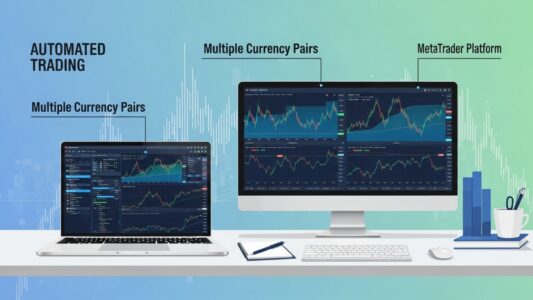
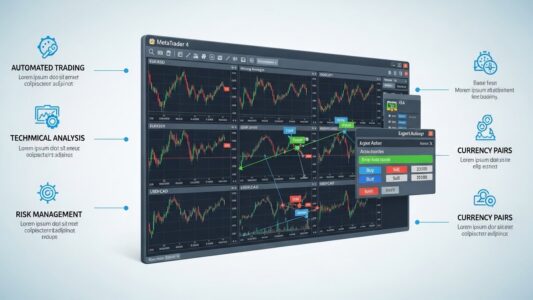
The VPS hosts your MetaTrader platform just like your computer would, but it never sleeps, never loses internet connection, and experiences virtually no downtime. Your Expert Advisors run continuously, executing trades according to their programmed logic whether you’re awake or asleep, home or traveling.
For comprehensive information on automated trading systems that benefit from VPS hosting, read more about our automated forex trading guide
Not every trader requires VPS hosting. Manual traders who execute all trades themselves during specific hours don’t benefit significantly from VPS, though some choose it for security reasons or to maintain platform stability.
VPS becomes essential when running Expert Advisors that need continuous operation. If your EA trades the Asian session while you sleep in North America, or if it monitors markets 24/7 waiting for specific setups, a VPS ensures it never misses opportunities due to your computer being off.
Copy trading services often require or strongly recommend VPS hosting because copied trades need to execute immediately when the signal provider trades. Delays from your computer being off or internet issues result in slippage and missed entries that damage performance.
Traders using signal services with automatic execution similarly need VPS to ensure signals convert to trades instantly rather than being delayed or missed entirely.
High-frequency strategies and scalping systems particularly benefit from VPS hosting close to broker servers, as latency differences of milliseconds can impact profitability when targeting small profit margins.
Understanding which VPS specifications matter helps you choose appropriate hosting without overpaying for features you don’t need.
RAM (Memory)
MetaTrader platforms run efficiently with modest RAM. A single MT4 or MT5 instance typically uses 500MB to 1GB of RAM. Most forex VPS packages offer 1GB to 4GB, which is sufficient for running 1-3 MetaTrader instances with several EAs.
If you plan to run multiple platforms or many simultaneously active EAs, consider 2GB or more. However, most individual traders find 1GB adequate for their needs.
CPU (Processor)
Trading platforms aren’t CPU-intensive under normal conditions. A single CPU core handles most trading operations easily. VPS packages advertising multi-core processors provide more than most traders utilize.
However, if your EAs perform complex calculations, run numerous indicators simultaneously, or trade many pairs at once, additional CPU capacity prevents slowdowns during high-activity periods.
Storage (Hard Drive Space)
MetaTrader installations require minimal storage—typically 200-500MB per platform. Historical data, logs, and saved files add more over time, but 20GB of storage accommodates several platforms with years of data.
SSD storage provides faster platform loading and better overall responsiveness than traditional hard drives, though the difference is modest for trading applications.
Operating System
Most forex VPS hosting runs Windows Server editions because MetaTrader platforms are Windows-native. Linux VPS requires additional configuration and compatibility layers, making Windows the practical choice for most traders.
Windows Server 2012, 2016, 2019, or 2022 all work well. Newer versions offer better security and performance but aren’t strictly necessary if the VPS provider maintains security patches.
Bandwidth and Data Transfer
Trading platforms use minimal bandwidth—typically a few hundred megabytes per month even with active trading. VPS packages offering “unlimited” bandwidth provide far more than trading requires.
What matters more than total bandwidth is connection quality and latency to broker servers, which we’ll discuss next.
Server Location and Latency
Where your VPS physically exists significantly impacts execution speed and reliability.
Proximity to Broker Servers
Choose VPS locations near your broker’s server locations when possible. If your broker’s servers are in London, a London-based VPS provides lower latency than one in New York or Singapore.
Lower latency means your orders reach the broker microseconds faster—usually insignificant for position trading or swing trading but potentially meaningful for scalping or high-frequency strategies where milliseconds matter.
Many brokers advertise their server locations, making it easy to choose compatible VPS locations. If your broker doesn’t publicize this information, contact their support to ask.
Regional Considerations
Consider your own location for VPS management purposes. While the VPS operates independently, you’ll occasionally need to access it for updates, troubleshooting, or modifications. Accessing a VPS during its maintenance windows or experiencing technical support in compatible time zones can be convenient.
However, trading performance should be your primary consideration. A VPS on the opposite side of the globe that’s near your broker is better than one conveniently near you but far from the broker.
Latency Testing
Before committing to a VPS provider, test latency to your broker’s servers if possible. Many VPS providers offer trial periods allowing you to install your platform and measure actual execution speeds before purchasing longer-term plans.
Latency under 20ms is excellent, 20-50ms is good, 50-100ms is acceptable for most strategies, and above 100ms might disadvantage high-frequency approaches.
Choosing a VPS Provider
Numerous companies offer forex-specific VPS hosting. Selecting the right provider requires balancing price, features, reliability, and support quality.
Forex-Specific Providers
Several companies specialize in forex VPS hosting, pre-configuring servers for trading platforms and offering forex-specific support. Examples include ForexVPS.net, FXVM, and others.
Advantages include turnkey setup, trading-optimized configurations, and support staff who understand trading platform issues. Disadvantages include higher prices compared to general VPS providers and sometimes limited server location options.
General VPS Providers
Companies like Vultr, DigitalOcean, Linode, and Amazon Web Services (AWS) offer VPS hosting at lower prices but require more technical setup. You’ll need to install Windows, configure security, and set up MetaTrader yourself.
This approach works well for technically comfortable traders and offers more flexibility in server locations and specifications. However, support staff might not understand forex-specific questions.
Broker-Provided VPS
Some brokers offer free VPS hosting to clients meeting minimum balance or trading volume requirements. This provides convenience and guaranteed proximity to the broker’s servers.
Limitations include being locked to that broker, potential restrictions on what you can run on the VPS, and losing VPS access if you reduce your balance or trading activity.
Cost Considerations
Expect to pay $15-$40 per month for quality forex VPS hosting. Very cheap options (under $10/month) often provide inadequate resources, poor reliability, or problematic support.
Paying slightly more for established, reputable providers typically proves worthwhile through better uptime, faster support response, and fewer technical problems.
Setting Up Your First VPS: Step-by-Step
This walkthrough covers the general process. Specific steps vary by provider, but the overall approach remains consistent.
Step 1: Choose and Purchase VPS Plan
Select a provider and plan meeting your requirements (Windows OS, adequate RAM, good server location). Complete the purchase process, which typically involves creating an account and providing payment information.
Most providers offer monthly billing with no long-term commitment required. Some provide discounts for paying quarterly or annually, but start with monthly billing until you confirm the VPS meets your needs.
Step 2: Receive Connection Credentials
After purchase, you’ll receive an email containing your VPS connection details: IP address, username (usually “Administrator”), and password. Save these credentials securely—you’ll need them for every connection.
Step 3: Connect to Your VPS
On Windows computers, use Remote Desktop Connection (search for “Remote Desktop” in the Start menu). On Mac, download Microsoft Remote Desktop from the App Store. On mobile devices, use Remote Desktop apps available for iOS and Android.
Open Remote Desktop, enter your VPS IP address, click Connect, and enter the username and password provided by your VPS host. After authentication, you’ll see your VPS desktop—it looks like a Windows computer desktop because it essentially is one, just running remotely.
Step 4: Install Your Trading Platform
Inside the VPS, open a web browser (Internet Explorer comes pre-installed on Windows Server). Navigate to your broker’s website, download the MT4 or MT5 installer, and install it just as you would on your local computer.
Log into your trading account within the platform. The platform runs on the VPS just like on your computer, but now it operates continuously regardless of your home computer’s status.
Step 5: Install Your Expert Advisors
Transfer your EA files to the VPS. You can copy-paste files directly through Remote Desktop, use cloud storage like Dropbox to transfer files, or download EAs directly on the VPS if you have download links.
Install EAs following normal procedures, attach them to charts, configure settings, and verify they’re running correctly (check for the smiley face icon indicating active EA operation).
Step 6: Optimize VPS Settings
Disable automatic Windows updates during trading hours to prevent unexpected restarts. Configure your platform to automatically log in on startup (many platforms offer this option in settings). Set your VPS to prevent automatic sleep or hibernation.
These optimizations ensure uninterrupted operation even if the VPS restarts for maintenance or updates.
Step 7: Test Everything
Let your setup run for a week while monitoring closely. Verify trades execute as expected, check that EAs remain active after VPS restarts, and confirm you can access the VPS reliably from your devices.
Managing Your VPS After Setup
VPS hosting requires ongoing maintenance, though significantly less than managing trading systems on your home computer.
Regular Access and Monitoring
Connect to your VPS at least weekly, ideally 2-3 times per week, to check on your trading systems. Verify EAs are still running, review recent trades, check for platform or EA updates, and confirm system resources aren’t being exhausted.
Updating Trading Platforms
MetaTrader platforms occasionally release updates. Install these through the platform’s internal update mechanism. Updates sometimes require restarts, so schedule them during non-trading hours or low-activity periods.
Updating Expert Advisors
EA developers release updates fixing bugs or adapting to changed market conditions. Install EA updates following the developer’s instructions, test updated versions on demo accounts first when possible, and keep records of which EA versions you’re running.
Managing Resources
Monitor VPS resource usage through Task Manager (Ctrl+Shift+Esc within the VPS). If RAM or CPU usage consistently approaches 80-90%, consider upgrading to a larger VPS plan or reducing the number of simultaneously running EAs.
Backing Up Settings
Periodically backup your MT4/MT5 configuration by copying the platform’s data folder. This preserves EA settings, templates, and custom indicators. If you need to migrate to a new VPS or recover from failures, having recent backups saves substantial reconfiguration time.
Security Maintenance
Change your VPS password periodically, especially if you access it from various devices or locations. Keep Windows updated with security patches. Avoid browsing unfamiliar websites or downloading unnecessary software on the VPS.
Troubleshooting Common VPS Issues
Even with quality hosting, occasional problems occur. Knowing how to address them minimizes trading disruption.
Can’t Connect to VPS
First, verify your internet connection works normally. Check that you’re entering the correct IP address, username, and password. Confirm the VPS provider hasn’t changed your IP address (some providers reassign IPs periodically).
If connection still fails, contact your VPS provider’s support—the VPS itself might be down or experiencing network issues.
Trading Platform Won’t Stay Open
Check that the platform isn’t set to close automatically. Verify that Windows isn’t automatically logging out your session. Ensure adequate RAM and CPU capacity exist for your platforms and EAs.
Some platforms have settings preventing background operation. Review platform settings and disable any sleep or suspension features.
Slow Performance
Monitor CPU and RAM usage in Task Manager. If consistently high, you may need to upgrade to a larger VPS plan. Close unnecessary programs running on the VPS. Check network latency to your broker—if suddenly increased, contact your VPS provider.
EAs Stopped Working After Restart
Some EAs need manual reactivation after platform restarts. Check that “AutoTrading” is enabled (the button should be highlighted). Verify EA settings weren’t reset during the restart. Confirm the EA file is still present in the correct folder.
Missing Trades or Execution Problems
Check your broker’s trading conditions—restrictions might be in place during news events or maintenance periods. Verify adequate account balance exists for your EA’s position sizing. Review your EA logs for error messages indicating what prevented execution.
VPS Security Best Practices
Protecting your VPS and trading accounts requires attention to security fundamentals.
Use Strong, Unique Passwords
Change the default VPS password immediately to something strong (12+ characters mixing letters, numbers, symbols). Never reuse this password elsewhere. Consider using a password manager to generate and store complex passwords securely.
Enable Two-Factor Authentication When Available
Some VPS providers offer 2FA for account access. Enable this for an additional security layer protecting your VPS management account.
Don’t Store Sensitive Information
Avoid saving broker passwords in the platform if possible. Don’t store personal documents, financial records, or sensitive information on the VPS. Use it exclusively for trading-related activities.
Regular Security Updates
Keep Windows updated with security patches. Install antivirus software if your VPS provider doesn’t include it. Regularly update all software running on the VPS.
Limit Access
Only access your VPS from trusted devices and networks. Avoid connecting from public WiFi without using a VPN. Keep records of when and from where you access the VPS to detect unauthorized access attempts.
VPS Costs and Return on Investment
VPS hosting represents a monthly expense that needs justification through improved trading performance or reduced risk.
Direct Costs
Quality forex VPS hosting costs $15-$40 monthly ($180-$480 annually). This is your primary ongoing expense. Some providers charge setup fees, though many include free setup with monthly plans.
Indirect Benefits
The VPS prevents losses from missed trades due to computer/internet issues. It enables 24/7 automated trading capturing opportunities outside your waking hours. It reduces stress from worrying about home computer reliability. It potentially improves execution speeds through better connectivity to broker servers.
Break-Even Analysis
If preventing one missed trade monthly or catching 2-3 additional trades through 24/7 operation generates more than your VPS cost, the service pays for itself. Most automated traders find VPS hosting worthwhile after the first month or two of reliable operation.
For strategies heavily dependent on execution speed or continuous market monitoring, VPS costs are simply necessary business expenses rather than optional purchases.
Alternatives to VPS Hosting
While VPS provides the best solution for most automated traders, alternatives exist for specific situations.
Cloud-Based Trading Platforms
Some brokers offer cloud-based versions of MetaTrader requiring no local installation. You access the platform through a web browser, and it runs on the broker’s servers. This eliminates VPS costs but limits you to that specific broker.
Dedicated Home Computer
If you have a reliable computer that can stay on 24/7 with stable internet, it can function like a VPS. However, home power and internet outages, computer failures, and security risks make this less reliable than professional VPS hosting.
This might work temporarily while testing strategies or during demo trading, but serious automated trading on live accounts benefits from proper VPS hosting.
Broker-Free VPS Offers
Some brokers provide free VPS if you maintain minimum balances (often $5,000-$10,000) or reach specific monthly trading volumes. If you’re already meeting these requirements, free broker VPS is the most cost-effective solution.
Final Thoughts on VPS for Forex Trading
VPS hosting transforms automated forex trading from a fragile setup dependent on your home computer’s reliability into a professional operation running continuously with minimal intervention required. The monthly cost represents insurance against missed trades, execution problems, and the stress of maintaining 24/7 uptime on personal equipment.
VPS is essential infrastructure for running Expert Advisors reliably 24/7.
For traders running Expert Advisors, copy trading, or any automated system requiring constant operation, VPS hosting isn’t optional—it’s essential infrastructure for serious trading. The question isn’t whether to use VPS but rather which provider and plan best suit your specific requirements.
Start with modest plans matching your current needs, choosing reputable providers with good support and server locations near your broker. You can always upgrade to larger plans as your trading scales or downgrade if you find you’ve overestimated resource requirements.
The setup process is straightforward, ongoing management is minimal, and the reliability benefits far outweigh the modest monthly cost for most automated traders. Consider VPS hosting as part of your basic trading infrastructure, like your broker account or trading platform—necessary tools for successful automated trading operations.