Learn How to Make Fast Money by Learning diffrent Strategies in Forex Trading and Different Investment Options
Best Forex Trading Platforms: MT4 vs MT5 vs cTrader
Selecting the right forex trading platform significantly impacts your trading success, execution quality, and overall experience in the currency markets. Your platform serves as the primary interface between you and global forex markets, making its capabilities, reliability, and features crucial considerations for traders at every level.
This comprehensive guide examines the leading and best forex trading platforms, their strengths and limitations, and how to choose the platform best suited to your trading style, experience level, and specific needs.
A forex trading platform is software that connects traders to the forex market through their brokers. These platforms provide real-time price quotes, charting tools, order execution capabilities, account management functions, and various analytical tools to support trading decisions.
The platform you choose affects execution speed, available order types, charting capabilities, automation options, and mobile trading functionality. While brokers operate the underlying infrastructure, the platform itself determines your day-to-day trading experience and the tools available for analysis and execution.
Platform selection deserves careful consideration because switching platforms later requires learning new interfaces, transferring strategies, and potentially losing access to familiar tools. The Commodity Futures Trading Commission (CFTC) (https://www.cftc.gov) regulates forex brokers in the United States, ensuring minimum standards, but platform quality varies significantly even among regulated brokers.
MetaTrader 4, developed by MetaQuotes Software, dominates retail forex trading globally. Launched in 2005, MT4 has become synonymous with forex trading for millions of traders worldwide, offering a proven combination of functionality, reliability, and extensive third-party support.
Platform Features and Capabilities
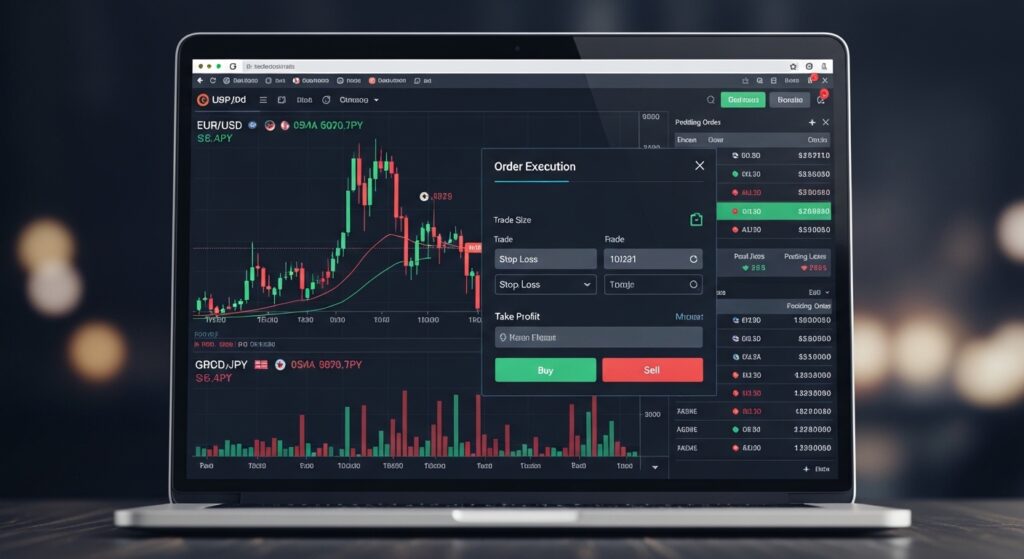
MT4 provides comprehensive charting with 30 built-in technical indicators, nine timeframes from one minute to one month, and unlimited chart windows for simultaneous analysis. The platform supports all standard order types—market, pending, stop loss, and take profit—with one-click trading for rapid execution when needed.
The Expert Advisor (EA) functionality allows automated trading through custom or purchased trading systems. Thousands of commercial and free EAs exist for MT4, covering every conceivable trading strategy. The MQL4 programming language enables traders to develop custom indicators, scripts, and automated systems, creating a vast ecosystem of tools and solutions.
MT4’s user interface, while somewhat dated by modern standards, provides efficient workflow for active traders. Multiple chart layouts save different configurations, allowing quick switching between various analytical setups. The platform’s stability and light resource requirements mean it runs smoothly even on modest computers.
Advantages of MT4
Platform Strengths:
Industry standard with universal broker support
Extensive library of custom indicators and EAs
Active community providing support and tools
Lightweight and stable on various systems
Well-documented with abundant educational resources
Strong mobile app versions
Proven reliability over 15+ years
Limitations of MT4
Platform Constraints:
Outdated interface compared to modern alternatives
Limited to forex and CFDs (no stocks or futures)
Basic charting compared to specialized platforms
No native integration with TradingView or similar services
MT4 particularly suits forex traders who value stability, extensive EA options, and the security of trading on a platform supported by virtually every broker. Our Forex Scalping Guide details how scalpers leverage MT4’s one-click trading and custom indicators for short-term trading strategies.
MetaTrader 5 (MT5): The Modern Evolution
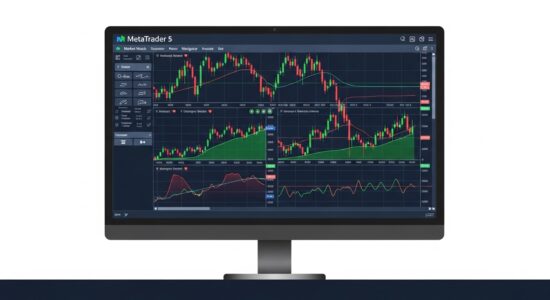
MetaTrader 5, released in 2010, represents MetaQuotes’ attempt to modernize and expand beyond MT4’s forex focus. Despite being MT4’s successor, MT5 adoption has been slower, though it offers genuine improvements in several areas.
Enhanced Capabilities
MT5 provides 38 built-in technical indicators, 21 timeframes, and an economic calendar integrated directly into the platform. The platform supports additional order types including Buy Stop Limit and Sell Stop Limit, offering more sophisticated order management than MT4.
The MQL5 programming language used for MT5 Expert Advisors offers superior capabilities compared to MQL4, including object-oriented programming, better debugging tools, and improved strategy tester functionality. These enhancements benefit serious algorithmic traders developing complex trading systems.
MT5 supports stocks, futures, and options in addition to forex and CFDs, making it suitable for traders wanting multi-asset exposure through a single platform. The depth of market (Level II) feature shows order book information when available from brokers, providing insights into market liquidity and pending orders.
MT5 appeals to traders wanting modern features and multi-asset capabilities while maintaining the MetaTrader ecosystem’s familiarity. Position traders using strategies outlined in our Forex Position Trading guide benefit from MT5’s additional timeframes and integrated economic calendar.
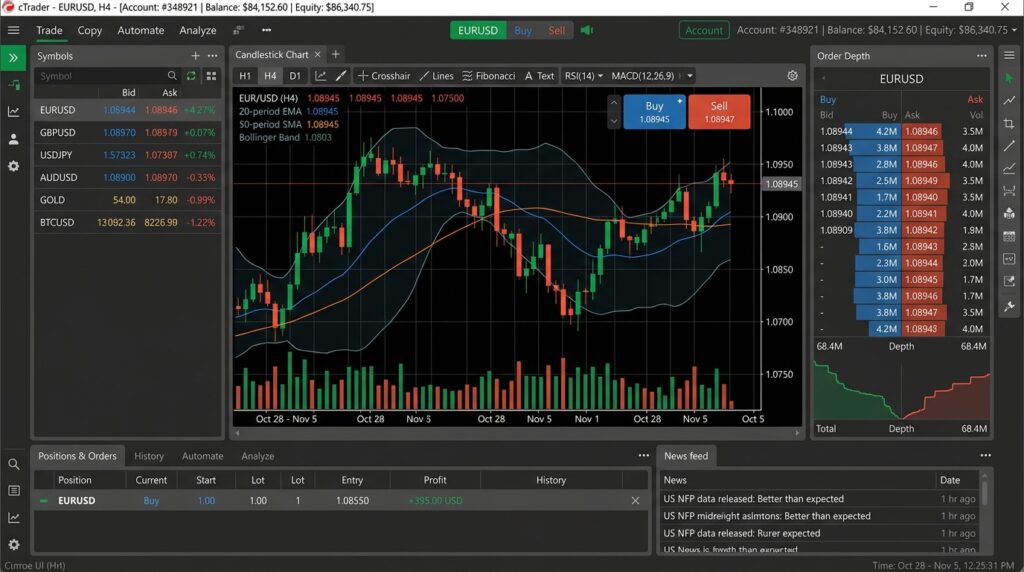
cTrader, developed by Spotware Systems, offers a modern, professional-grade platform focusing on clean design, advanced order types, and transparent Level II pricing. Growing in popularity, cTrader provides genuine competition to the MetaTrader platforms.
Platform Design and Functionality
cTrader’s interface emphasizes clarity and efficiency with intuitive chart navigation, clean price display, and logical menu organization. The platform feels responsive and modern compared to MetaTrader, though this subjectivity varies by user preference.
Level II pricing shows the full market depth with pending orders from other traders, providing transparency unavailable on most MT4/MT5 implementations. This depth of market information helps traders understand liquidity at various price levels, particularly valuable for larger position sizes.
cTrader supports advanced order types including trailing stops, stop limit orders, and time-in-force specifications. The ability to place multiple orders simultaneously and modify pending orders with precision exceeds MetaTrader’s capabilities in several respects.
The cAlgo feature allows automated trading using C# programming, a widely-used professional programming language. This provides advantages for developers already familiar with C# and those wanting to leverage existing programming knowledge rather than learning MQL4 or MQL5.
Advantages of cTrader
Platform Strengths:
Modern, intuitive interface
Full market depth (Level II) visibility
Advanced order types and modification
C# programming for automation
Excellent charting capabilities
Fast execution and platform performance
Copy trading integration
Strong mobile applications
Limitations of cTrader
Platform Constraints:
Limited broker availability compared to MT4
Smaller community and fewer third-party tools
Generally higher minimum deposits required
Less educational content available
Fewer brokers offering cent accounts
Commission structures often higher
cTrader particularly suits serious retail traders and semi-professionals who value transparency, advanced order types, and modern platform design. Scalpers benefit from cTrader’s fast execution and detailed market depth information, as discussed in our 2-5 Pip Scalping strategies.
TradingView: Chart Analysis Excellence
TradingView revolutionized online charting with its browser-based platform offering institutional-quality charts, social networking features, and extensive technical analysis tools. While not exclusively a forex platform, TradingView connects to many forex brokers for direct trading.
Charting and Analysis Capabilities
TradingView provides the most advanced charting in retail trading with hundreds of technical indicators, drawing tools, and customization options. The platform’s chart quality, speed, and ease of use exceed dedicated trading platforms in many respects.
The social networking aspect allows traders to share chart setups, follow experienced traders’ analyses, and discuss market conditions in real-time. This community-driven approach provides educational value and diverse perspectives on market developments.
TradingView’s Pine Script programming language enables creation of custom indicators and strategies. While not as powerful as MT5’s MQL5 or cTrader’s C# for automated trading, Pine Script excels at indicator development and backtesting visualization.
Multi-timeframe analysis becomes seamless on TradingView with synchronized charts, replay mode for historical analysis, and alerts that notify traders when specific conditions occur. These features support systematic trading approaches detailed in our Multiple Timeframe Analysis guide.
Advantages of TradingView
Platform Strengths:
Exceptional chart quality and performance
Works on any device with a browser
Active community with shared ideas
Extensive technical analysis tools
Intuitive interface and learning curve
Multiple broker integrations
Replay mode for backtesting
Sophisticated alert system
Limitations of TradingView
Platform Constraints:
Subscription fees for full features
Limited automated trading capabilities
Not all brokers integrate
Execution speed depends on broker connection
Less suitable for high-frequency trading
Mobile app less comprehensive than desktop
TradingView excels for swing traders and position traders who prioritize chart analysis over execution speed. The platform’s strength lies in identifying setups and analyzing markets rather than rapid order execution required for scalping strategies covered in our Forex Scalping guide.
NinjaTrader primarily serves futures traders but supports forex through select brokers. The platform offers advanced capabilities for serious traders willing to invest time in mastering its extensive feature set.
Platform Capabilities
NinjaTrader provides institutional-grade charting, market analysis, and automated trading capabilities. The platform supports complex order types, position management tools, and sophisticated risk management features exceeding most retail forex platforms.
Strategy development using C# programming and extensive backtesting capabilities make NinjaTrader popular among algorithmic traders. The platform’s Strategy Analyzer provides detailed performance metrics, optimization tools, and walk-forward analysis for robust strategy development.
Market replay functionality allows practicing trading with historical data, providing risk-free environment for strategy testing and skill development. This feature, combined with deep backtesting capabilities, supports thorough strategy validation before live trading.
Advantages of NinjaTrader
Platform Strengths:
Professional-grade charting and analysis
Advanced automated trading capabilities
Comprehensive backtesting and optimization
Market replay for practice
Strong order flow analysis tools
Highly customizable interface
Active developer community
Limitations of NinjaTrader
Platform Constraints:
Steep learning curve
Primarily futures-focused (forex secondary)
Limited broker support for forex
Licensing fees for advanced features
Resource-intensive on computers
Overwhelming for beginners
NinjaTrader suits experienced traders comfortable with complexity who want institutional-quality tools. The platform’s learning curve and cost make it less appropriate for beginners but valuable for serious traders developing sophisticated strategies.
Proprietary Broker Platforms
Many brokers develop proprietary platforms offering unique features and integration with their specific services. These platforms vary widely in quality and capabilities.
OANDA’s proprietary platform provides clean, functional forex trading with good charting, reasonable customization, and solid execution. The platform lacks the advanced features of MetaTrader or cTrader but offers simplicity and reliability for straightforward trading.
Platform Strengths:
User-friendly interface
Good for beginners
Fractional pip pricing
No minimum position size
Integrated with OANDA services
Web and mobile versions
Platform Constraints:
Limited advanced features
No automated trading
Fewer technical indicators
Only works with OANDA
Less sophisticated than MT4/MT5
FOREX.com Platform
FOREX.com offers both MetaTrader and proprietary platforms. Their web platform provides functional trading with decent charts and straightforward execution suitable for casual traders.
Platform Strengths:
Simple, accessible interface
Good mobile applications
Integrated educational resources
Multiple account funding options
Platform Constraints:
Limited automation capabilities
Basic charting compared to specialists
Platform lock-in to single broker
Proprietary platforms work well for traders prioritizing simplicity over advanced features. However, the lack of third-party tool support and platform portability represent significant limitations for serious traders.
Mobile Trading Platforms
Mobile trading importance has grown dramatically as smartphones become more powerful and connectivity improves. All major platforms now offer mobile versions with varying capabilities.
Mobile Platform Considerations
Mobile MetaTrader 4 and MetaTrader 5 apps provide surprisingly comprehensive functionality including full charting, order placement, position management, and even Expert Advisor trading on some implementations. The mobile interface adapts well to small screens while maintaining essential features.
cTrader’s mobile application offers excellent functionality with clean design and full order management capabilities. The interface translates well to mobile devices, though complex analysis remains better suited to larger screens.
TradingView’s mobile app provides access to charts and community features but with limitations compared to the desktop experience. Chart analysis works well, but order placement depends on broker integration quality.
Mobile Trading Best Practices
Use mobile platforms primarily for monitoring positions and managing trades rather than complex analysis or trade initiation. The limited screen real estate makes detailed chart analysis challenging compared to desktop platforms.
Set up price alerts rather than constantly monitoring mobile charts. This approach reduces screen time while ensuring awareness of important price levels or market developments requiring attention.
Maintain security awareness when using mobile platforms on public networks. Virtual Private Network (VPN) usage adds security layer when trading on coffee shop or hotel WiFi, protecting account credentials and trading activity.
Web-Based Platforms
Browser-based trading platforms eliminate software installation requirements, working on any computer with internet connection and modern browser.
Web Platform Advantages
Benefits:
Trade from any computer
No installation required
OS-independent (Windows, Mac, Linux, Chromebook)
Always up-to-date (no manual updates)
Good for travel or using public computers
Web Platform Limitations
Constraints:
Depends on internet connection quality
Usually fewer features than desktop version
Can be slower
Potential browser compatibility issues
Less customization available
Security concerns on public computers
Web platforms suit occasional traders, travelers, or those wanting quick market access without dedicated trading computers. Serious traders typically prefer desktop platforms for their full feature sets and superior performance.
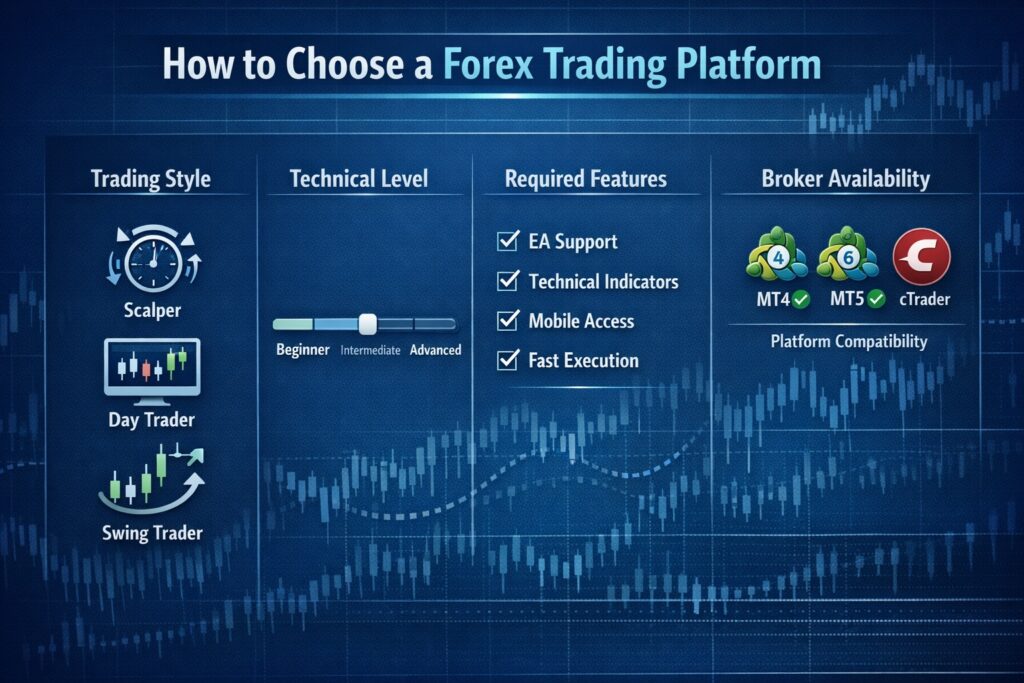
Choosing Your Platform: Decision Framework
Platform selection depends on your trading style, experience level, technical requirements, and broker availability. Systematic evaluation prevents choosing platforms that don’t match your actual needs.
Consider Your Trading Style
Scalpers require fast execution, minimal latency, and efficient order placement. MetaTrader 4/5 or cTrader work well, with platform choice often depending on which offers better execution through your preferred broker. Our Forex Scalping guide discusses execution speed importance.
Day traders benefit from good charting, reliable execution, and multiple timeframe analysis. TradingView excels for analysis, though execution requires broker integration. MetaTrader platforms provide good balance of analysis and execution capabilities.
Swing traders and position traders prioritize charting quality and analytical tools over execution speed. TradingView’s superior charts and analysis tools make it attractive, complemented by MetaTrader or cTrader for execution when needed.
Automated traders need robust programming capabilities and reliable strategy execution. MetaTrader 5’s MQL5, cTrader’s cAlgo, or NinjaTrader’s C# programming offer different strengths for algorithmic trading approaches.
Evaluate Your Technical Comfort Level
Beginners should start with user-friendly platforms like OANDA fxTrade or basic MetaTrader 4 configurations. These platforms provide essential functionality without overwhelming complexity, allowing focus on learning trading rather than platform mastery.
Intermediate traders comfortable with technology can explore MetaTrader 5, cTrader, or TradingView. These platforms offer advanced features without requiring programming knowledge for basic use.
Advanced traders and developers benefit from platforms supporting custom programming like MetaTrader 5, cTrader, or NinjaTrader. The ability to create custom indicators, automated strategies, and specialized tools justifies these platforms’ complexity.
Assess Required Features
Identify must-have features before platform selection. Need automated trading? MetaTrader, cTrader, or NinjaTrader become necessary. Want social trading features? TradingView or platforms with integrated copy trading suit better.
Consider chart analysis requirements. Simple trading strategies work fine with basic charting. Complex technical analysis benefits from TradingView’s extensive tools and indicators. Our Forex Indicators Guide covers technical analysis tools available across platforms.
Evaluate multi-device trading importance. Frequent travelers or those wanting flexibility benefit from platforms offering strong mobile applications and web versions matching desktop functionality.
Platform preference means little if your preferred broker doesn’t support it. Most brokers offer MetaTrader 4, making it the safest choice for maximum broker options. MetaTrader 5 availability varies more widely.
cTrader availability limits broker choice significantly, though available brokers generally represent quality options. Research broker reputation, regulation, and execution quality rather than just platform availability, as covered in our How to Choose a Forex Broker guide.
Some brokers offer multiple platforms, allowing experimentation before committing. Take advantage of demo accounts to test platforms with actual broker execution and features rather than generic platform demos.
Platform Testing and Evaluation
Testing is essential — even the best forex trading platforms feel different in practice than they look on paper
Never commit to a platform without thorough testing on demo accounts. Testing reveals practical strengths and weaknesses not apparent from feature lists or promotional materials.
Demo Account Testing
Open demo accounts with platforms you’re considering and spend at least two weeks actively using each one. Navigate through all features, place various order types, test charting tools, and simulate your actual trading routine.
Evaluate execution speed and reliability during volatile market periods. Test how platforms handle major news releases when many traders execute orders simultaneously. Platform performance during stress conditions reveals quality differences not visible during quiet markets.
Check customer support quality and responsiveness. Contact support with questions about platform features and evaluate response time and helpfulness. Quality support becomes valuable when technical issues arise during live trading.
Learning Resources Availability
Assess educational materials available for each platform. Abundant tutorials, documentation, and community forums simplify learning and troubleshooting. Platforms with active communities provide better long-term support than obscure alternatives.
Consider whether you can find answers to questions through Google searches. Popular platforms like MetaTrader have extensive online resources. Less common platforms may lack adequate documentation and community support.
Platform Security Considerations
Platform security protects your account access, trading activity, and personal information from unauthorized access and theft.
Two-Factor Authentication
Enable two-factor authentication (2FA) on all trading platforms and broker accounts supporting it. 2FA significantly reduces account takeover risk even if passwords become compromised. The National Institute of Standards and Technology (NIST) (https://www.nist.gov) recommends 2FA as essential security practice.
Use authenticator apps rather than SMS-based 2FA when possible. Authenticator apps prove more secure than text messages vulnerable to SIM swapping attacks.
Password Management
Use strong, unique passwords for each trading platform and broker account. Password managers help create and store complex passwords without requiring memorization.
Never save passwords in browsers or email accounts. If email accounts become compromised, saved passwords provide attackers complete access to trading accounts.
Secure Devices and Networks
Keep operating systems, browsers, and security software updated with latest patches. Vulnerabilities in outdated software create attack vectors for account compromise.
Avoid trading on public computers or unsecured public WiFi networks. If trading while traveling proves necessary, use VPN connections to encrypt data transmission and protect credentials.
Integration with Additional Tools
Consider how platforms integrate with supplementary tools and services enhancing trading effectiveness.
Economic Calendar Integration
Some platforms integrate economic calendars showing scheduled data releases and their expected impact. MetaTrader 5 includes integrated economic calendar, while MetaTrader 4 users typically use external calendar sites like those provided by the Bureau of Labor Statistics (https://www.bls.gov) for US employment data.
Calendar integration proves valuable for avoiding trading immediately before high-impact releases or positioning for expected volatility. Our Economic Indicators and Forex guide explains using economic data in trading decisions.
Trade Journal Connectivity
Connecting platforms to trading journals automates performance tracking and analysis. Some platforms export trade history in formats compatible with journal software, eliminating manual data entry.
Systematic performance review using trading journals, as detailed in our Forex Trading Journal Guide, accelerates improvement by identifying strengths and weaknesses in trading approach.
Signal Services and Copy Trading
Some platforms integrate signal services or copy trading features allowing followers to automatically replicate experienced traders’ positions. MetaTrader 4/5 and cTrader offer such features, though results vary significantly among signal providers.
Exercise caution with automated signal following. Understand the strategy being copied, verify provider track records independently, and start with small position sizes when testing any signal service.
Cost Considerations
Cost is often overlooked when comparing the best forex trading platforms, but fees and subscriptions can significantly affect overall profitability.
Platform costs vary from free to subscription-based models with different features at different price points.
Free Platforms
MetaTrader 4 and MetaTrader 5 are free through brokers offering them. Brokers cover platform costs through spreads and commissions rather than charging platform fees. This makes MetaTrader attractive for cost-conscious traders.
Many proprietary broker platforms come free with broker accounts. These platforms provide adequate functionality for straightforward trading without additional costs.
Subscription Platforms
TradingView operates on subscription model with free basic access and paid tiers ($14.95 to $59.95 monthly) unlocking additional features. Serious chart analysis and multiple chart layouts require paid subscriptions.
NinjaTrader charges licensing fees ($60/month or $1,395 lifetime for advanced features) beyond free basic version. These costs suit professional traders but may not justify for occasional trading.
Hidden Costs
Some brokers charge extra fees for premium platforms or advanced features. Research total trading costs including spreads, commissions, and any platform fees before broker selection.
Data feed costs occasionally apply for certain assets or advanced market data. Forex trading typically includes free real-time data, but multi-asset platforms may charge for stock or futures data.
Future Platform Developments
Trading platform technology continues evolving with new features and capabilities emerging regularly.
Artificial Intelligence Integration
AI-powered analysis and trade suggestions represent growing platform features. While still developing, AI tools may eventually provide pattern recognition and market analysis assistance beyond current indicator capabilities.
Exercise appropriate skepticism toward AI trading claims. Current AI capabilities in retail platforms remain limited compared to marketing promises. Solid trading education as provided in our Forex Trading Strategies guide remains more valuable than AI tools.
Cloud Computing
Cloud-based platform hosting improves accessibility and reduces local hardware requirements. Platforms increasingly offer cloud options reducing latency and ensuring 24/7 uptime regardless of home computer status.
Mobile Technology Advancement
Mobile platform capabilities continue approaching desktop functionality as smartphones become more powerful. Future mobile platforms may eliminate desktop platform necessity for many trading styles.
Conclusion
Selecting the right forex trading platform significantly impacts your trading experience, execution quality, and long-term success. The “best” platform varies by individual needs, trading style, and technical comfort level rather than any universal ranking.
MetaTrader 4 remains the safe choice offering maximum broker compatibility, extensive third-party support, and proven reliability. MetaTrader 5 provides modernization for those wanting additional features and multi-asset capabilities. cTrader appeals to traders valuing transparency, modern design, and professional-grade tools. TradingView excels for chart analysis combined with broker integration for execution.
Test multiple platforms through demo accounts before committing to any single option. Your platform should feel intuitive, provide necessary features for your trading style, and integrate well with your chosen broker’s execution quality.
Remember that platform selection represents just one element of trading success. Sound strategy, disciplined risk management covered in our Risk Management guide, and continuous learning matter more than platform choice. The platform simply provides tools—trading success depends on how you use them.
Begin with simpler platforms matching your current skill level rather than complex professional-grade software requiring extensive learning before basic use. You can always upgrade to more sophisticated platforms as experience and needs evolve. The goal is finding the platform that best supports your trading rather than the one with the most features or marketing appeal.